How to Choose the Right Office Developer Home Setup
You spend your days writing code, debugging, and collaborating with teams across time zones. Your home office isn’t just a room with a desk—it’s your command center, your creative space, and the place where your best work happens. When you’re searching for ideas office developer home setups, you’re not just looking for a place to put your laptop. You need a space that supports long hours of focused work, multiple monitors, ergonomic comfort, and the right atmosphere to keep your mind sharp.
Every developer’s workflow is different, but the foundation remains the same: a thoughtfully designed workspace makes coding more enjoyable and productive. Whether you’re converting a spare bedroom, carving out a corner of your living room, or building a dedicated studio in your basement, the right setup balances function with personal style.
Your home office should reflect how you actually work, not some idealized version from a tech magazine.
Table of Contents
What You’ll Need to Get the Look
Creating a functional developer workspace starts with understanding the essentials. You’ll need furniture that supports your body through long coding sessions, technology infrastructure that keeps everything running smoothly, and organizational elements that prevent cable chaos.
Your desk should be large enough to accommodate multiple monitors with space left over for notebooks, coffee, or a mechanical keyboard. L-shaped desks work beautifully in corners, while standing desk converters give you flexibility without a complete furniture overhaul.
An ergonomic chair is non-negotiable—your back, neck, and shoulders will thank you after the thousandth hour. Look for adjustable lumbar support, armrests that don’t interfere with your keyboard position, and breathable fabric that doesn’t trap heat during marathon debugging sessions.
Lighting elements:
– Adjustable desk lamp with warm white LED for evening work
– Bias lighting behind monitors to reduce eye strain
– Blackout curtains or blinds to control screen glare
– Smart bulbs that adjust color temperature throughout the day
Organizational supplies:
– Cable management sleeves and clips
– Monitor arms to free up desk space
– Drawer organizers for dongles, adapters, and hard drives
– Floating shelves for reference books and decorative items
Acoustic improvements:
– Area rug to absorb echo during video calls
– Fabric wall panels or acoustic foam if sound quality matters
– Solid-core door or weatherstripping to block household noise
– White noise machine or desktop fountain for ambient sound
Finding Your Style and Season

Developer home offices work best when they match your natural rhythms and personal aesthetic. Some coders thrive in minimalist environments with nothing but a screen and a plant, while others need visual stimulation, posters, and colorful accents.
Consider when you do your best work. Morning people benefit from east-facing windows that capture natural light during peak productivity hours. Night owls might prefer spaces with excellent artificial lighting and darker walls that create a cozy cocoon after sunset.
Seasonal changes affect your workspace more than you might realize. Summer heat can make a south-facing room uncomfortable without proper blinds or air circulation. Winter months demand warmer lighting and maybe a small space heater under your desk.
Your office personality matters too. If you take frequent video calls, position your desk so the background looks professional but authentic. If you rarely turn on your camera, optimize for your own viewing comfort instead.
7 Ideas to Try in Your Home
The Dual Monitor Corner Setup
Transform an unused corner into a focused coding station by mounting two monitors on articulating arms. Position your desk diagonally across the corner to maximize wall space on both sides for whiteboards or reference materials. Add a small side table for your coffee maker or secondary laptop, keeping your main workspace clear for active projects.
The Standing Collaboration Zone
Create a secondary workspace with a standing desk converter and a large monitor for pair programming sessions. This setup works perfectly for video calls when you want to appear more energetic, or for reviewing pull requests when sitting feels oppressive. Position this near a window for natural light during morning standups.
The Minimalist Focus Pod
Strip everything down to essentials: one ultrawide monitor, a wireless keyboard and mouse, and a single plant. Mount floating shelves behind your monitor for a few carefully chosen items—a favorite tech book, a small speaker, a photo. This remote developer workspace setup guide approach eliminates visual clutter that fragments attention during complex problem-solving.
The Multi-Purpose Creative Space
If your office doubles as a hobby room, zone it carefully. Keep your primary coding setup on one side with professional elements, and dedicate the opposite wall to personal interests—musical instruments, art supplies, or gaming gear. A room divider or bookshelf between zones helps your brain switch modes.
The Monitor Wall Experience
Mount three monitors in a panoramic arrangement for maximum screen real estate. Use the center monitor for your primary IDE, the left for documentation and Stack Overflow, and the right for terminal windows and system monitoring. This setup demands a deep desk and careful attention to neck ergonomics, but the productivity gains are remarkable.
The Natural Light Haven
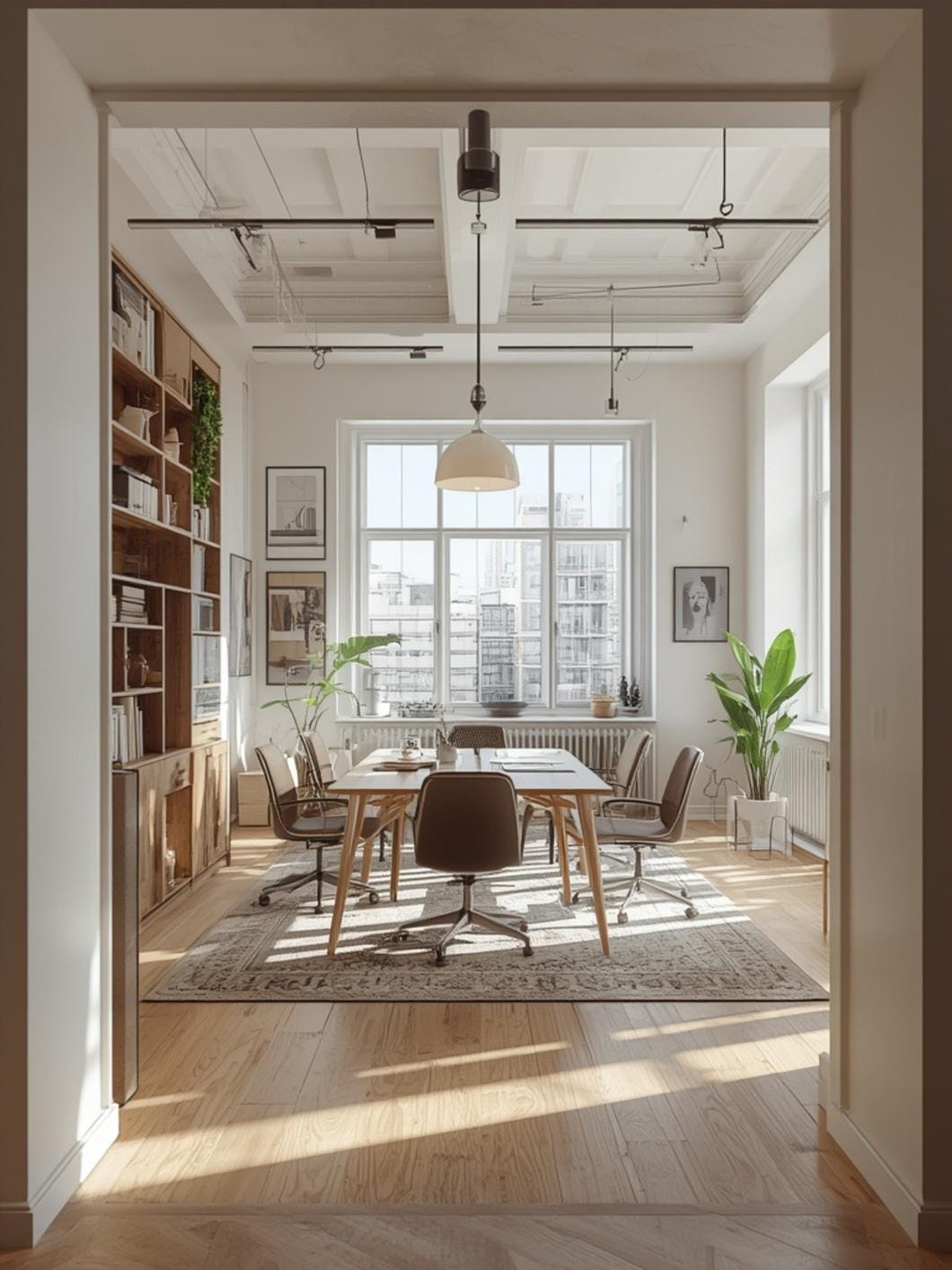
Position your desk perpendicular to a large window rather than facing it directly. You’ll get gorgeous natural light without screen glare or the temptation to stare outside during compilation. Add light-filtering curtains you can adjust throughout the day as the sun moves.
The Midnight Coding Cave
Paint walls a deep charcoal or navy blue, install RGB bias lighting behind monitors, and add small accent lights on shelves for a space that feels intentionally dark rather than forgotten. This setup is perfect for developers who do their best thinking late at night when the house is quiet.
Benefits of a Well-Designed Developer Workspace
A thoughtfully designed home office changes how you feel about work before you write a single line of code. Walking into a space that’s organized, comfortable, and visually appealing makes it easier to start difficult tasks and stay focused during complex debugging sessions.
Physical comfort directly impacts code quality. When your body isn’t fighting your furniture, your mind can fully engage with architectural decisions, algorithm optimization, and creative problem-solving. Fewer breaks for back pain or eye strain mean longer periods of deep work where your best ideas emerge.
Mental boundaries become clearer when your workspace has intention behind it. A dedicated office helps your brain shift into work mode when you enter and decompress when you leave, even if “leaving” just means walking to the kitchen. This psychological separation prevents burnout and protects your evening hours from work creep.
Customization options let you optimize for exactly how you work. Need complete silence? Add acoustic panels. Prefer background music? Install quality speakers. Work better with visual reminders? Cover your walls with whiteboards and sticky notes. Your home office can adapt to your quirks in ways a corporate cubicle never could.
Tips, Alternatives, Styling Advice
Budget-Friendly Option
Start with a solid used desk from Facebook Marketplace and an affordable ergonomic chair from IKEA. Use cardboard boxes wrapped in contact paper as monitor risers, and command hooks for cable management. A clip-on desk lamp and a fan provide basic comfort without expensive upgrades.
Mid-Range Option
Invest in an electric standing desk and a quality mesh office chair. Add a monitor arm for better screen positioning and a small bookshelf for organization. Include a bias light strip behind your monitors and a decent desk lamp with adjustable brightness for around one thousand to fifteen hundred dollars total.
Premium Option
Build your dream setup with a custom-sized solid wood desk, a Herman Miller chair, and a three-monitor setup on premium arms. Add smart lighting that adjusts with your schedule, acoustic panels mounted as decorative wall art, and a high-quality microphone arm for crystal-clear video calls.
Small Space Adaptation
Use a wall-mounted fold-down desk that disappears when not in use. Mount your monitor on a swing arm attached to the wall rather than taking up desk space. A narrow rolling cart can hold your CPU tower and slide under the desk when you need the room for other activities.
Consider vertical storage solutions like tall narrow bookcases that don’t consume floor space. Use the back of your door for hanging organizers that hold cables, headphones, and other accessories without cluttering your work surface.
Common Mistakes to Avoid
Positioning monitors too high strains your neck during long coding sessions and leads to chronic pain. Your eyes should naturally fall on the top third of your screen when sitting with proper posture—adjust monitor height with a riser or arm mount accordingly.
Ignoring cable management creates a visual mess that subconsciously increases stress and makes cleaning impossible. Spend an afternoon routing cables through sleeves, using velcro ties for bundling, and labeling everything so future-you knows which cable powers what device.
Choosing style over ergonomics might create an Instagram-worthy space, but it won’t serve you through an eight-hour debugging marathon. That beautiful vintage chair looks amazing but offers zero lumbar support—your Instagram followers won’t care about your back pain in six months.
Overlooking sound quality ruins video calls and creates awkward echoes in large rooms. Add soft furnishings like curtains, rugs, and upholstered furniture to absorb sound, or invest in acoustic panels if you’re frequently on calls with clients or leading team meetings.
Skipping task lighting forces you to rely entirely on harsh overhead fixtures or computer screens in the dark. Layer your lighting with overhead ambient light, task lighting on your desk, and accent lighting on shelves to create a space that’s functional and inviting at any hour.
Maintenance and Upkeep Tips
Dust accumulates faster in home offices than almost anywhere else in your house thanks to electronic equipment and air circulation. Wipe down monitors weekly with a microfiber cloth and screen-safe cleaner, and vacuum around your desk to prevent dust bunnies from colonizing cable nests.
Clean your keyboard and mouse monthly using compressed air between keys and disinfecting wipes on surfaces. These are the most-touched items in your office and deserve the same attention you give your kitchen counters.
Reorganize your desk surface every Friday afternoon before shutting down for the weekend. File papers, return coffee mugs to the kitchen, and clear your space so Monday morning starts fresh rather than overwhelming.
Check cable connections quarterly and re-secure any zip ties or cable clips that have loosened. A cable that’s worked free from its management system will eventually catch on something or create a tripping hazard.
Rotate your monitor positions slightly every few months if you have multiple screens. This prevents your neck from developing muscle memory that keeps it tilted in one direction for forty hours weekly.
Refresh your wall decorations seasonally or whenever you complete a major project. New visual stimulation keeps your environment from feeling stale and gives you something to look forward to when you enter your workspace.
Conclusion
Your home office is more than a functional necessity—it’s a reflection of how you approach your craft and care for yourself during work hours. The best developer workspaces balance productivity tools with personal touches that make you want to be there.
Start with the basics of ergonomics and function, then layer in personality through color choices, decorative accents, and organizational systems that match how your brain works. Your space will evolve as you discover what actually serves your workflow versus what just looks good in photos.
Ready to explore more ways to make your home office work harder and feel better? Browse through more workspace inspiration and practical home office ideas here at DecorKingdom to create a space that supports your best work.
FAQs
How much should I spend on a home office setup as a developer?
A functional developer workspace starts around five hundred dollars for basic furniture and equipment, but most people find their sweet spot between one thousand and two thousand dollars. This budget covers a decent desk, ergonomic chair, monitor arm, and organizational accessories that make a real difference in daily comfort. Invest more in items you interact with constantly—your chair and keyboard matter more than decorative elements.
Do I really need multiple monitors for coding at home?
Multiple monitors significantly improve productivity for most developers by reducing the time spent switching between windows and contexts. Two monitors is the sweet spot for most people—enough to keep documentation visible while coding without overwhelming your peripheral vision. Some developers work beautifully with a single ultrawide monitor that provides similar benefits in a cleaner setup.
What’s the ideal room temperature for a home office with multiple computers?
Most people work best between 68 and 72 degrees Fahrenheit, but developer workspaces run warmer due to computer equipment generating heat. Aim for the cooler end of that range if you have a powerful desktop, multiple monitors, or if your space has poor ventilation. A small desk fan pointed away from you helps circulate air without creating distracting drafts.
How can I make my home office feel separate from my living space?
Create physical and psychological boundaries through intentional design choices. Use different lighting in your office than the rest of your home, add a door threshold mat, or paint the walls a distinct color that signals work mode. Establishing a closing routine—shutting down equipment, closing the door, changing clothes—helps your brain transition between work and personal time.
Should I invest in acoustic treatment for my home office?
If you take frequent video calls or record content, acoustic treatment dramatically improves sound quality and reduces listener fatigue. For solo coding work, basic sound absorption through soft furnishings usually suffices unless you have echo problems from hard surfaces. Start with an area rug and curtains before investing in dedicated acoustic panels to see if simple solutions solve your sound issues.
—
Meta Title: Ideas Office Developer Home: 7 Smart Setups 2026
Meta Description: Transform your coding space with ideas office developer home that boost productivity and comfort. Get workspace inspiration for remote developers.